

There are still many "offliners" among retirees - people who have never come into contact with the digital world. But a lot is currently happening in the 60+ age group. Gradually, seniors are catching up, becoming digital, and just now conquering the internet. However, older people also start as "internet newcomers" and have to get to know this world. Because the internet follows different rules, and age and experience are no protection against fraud, traps, and scams. And often it is internet newcomers, like seniors, who fall for dubious donation requests, unrealistic offers, fake news, and fraudulent emails. Digital media literacy, and knowing how to navigate the internet safely, must be learned – at any age. To ensure that seniors also have unlimited fun online, we have compiled 5 rules for more internet security on our blog.
Internet Security Rule No. 1 : Use Complex Passwords
The most important piece of advice upfront: Even if you can easily remember the first name of your pet, children, or grandchildren, these are not secure passwords. The same goes for "password," "123456," or "abc123." Surprisingly, such easy-to-guess passwords are still used online despite increased awareness. Those new to the internet are often naive in this regard. Yet, the security rule for passwords is quite simple. They require:
- at least 12, or even more, characters
- upper and lower case letters
- numbers
- at least one special character
- and, in the best-case scenario, letters, numbers, and characters are arbitrarily mixed
And the mnemonic for this is: Remember a specific sentence and then use the first letters. An example: "Every Sunday at 9 o'clock I buy 2 fresh baguettes for 2€ at the bakery :) And now you can remember this password very easily: ESa9oIbB2fBf2€:)

It would, of course, also be important to use a different, individual password for each online account. Since, admittedly, it is not easy to remember several such complex constructs, password managers are a clever solution and are also recommended by experts. The good news is that when using these programs, you only need to remember a single password, the so-called "master password." The software or app encrypts and stores the rest.
Steganos Privacy Suite 21 is a proven solution here. Readers of this article can get it exclusively with a top discount.
Internet Security Rule No. 2: Only Disclose Personal Data on Encrypted Pages
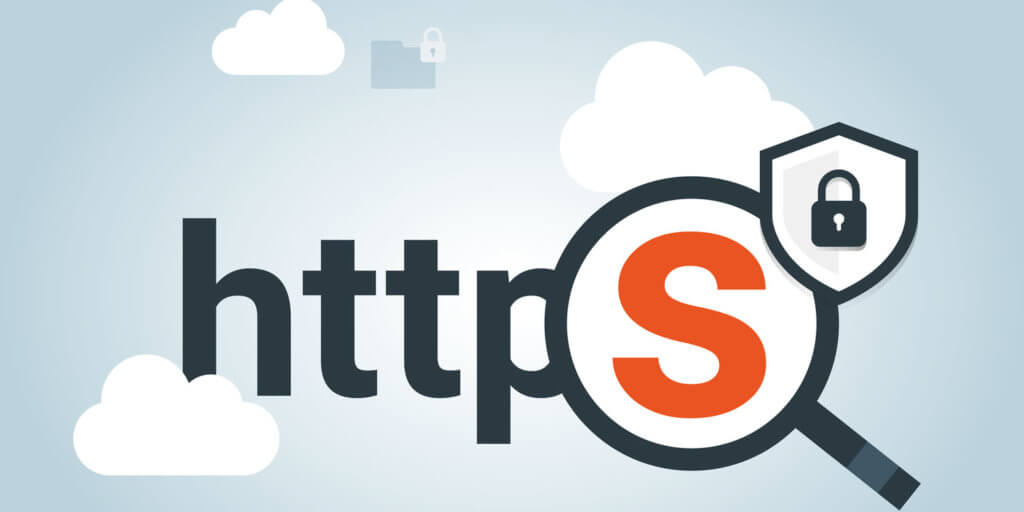
Speaking of encryption: Only disclose personal data on the internet if the site transmits your data encrypted. This applies especially when you open an account online or provide your address.
You can tell if the site transmits your data encrypted by:
- the "https" (not "http," where uninvolved third parties may be able to read along)
- and the padlock symbol in the status bar.
If you are in doubt whether the displayed page is secure, it is also worth checking the imprint or verifying whether a privacy policy is available.
More information, especially on website security, can be found in this blog post: Is this website safe? Some tips and tricks for safe surfing on the net
Internet Security Rule No. 3: Create Regular Backups
The older the operating system, computer, and hardware are, the more susceptible they become to malfunctions and hardware defects. And especially seniors, PC, and internet newcomers often start with a used computer where not everything is always optimal in terms of security.
Anyone who uses their computer regularly knows that it is often only a matter of time until their data is threatened by dangers such as system crashes, viruses, encryption Trojans, or other malware. Therefore, this security rule protects what is most important to you – your personal data and your system. With some discipline, you can create backups manually, but there are also tools that do this automatically for you.
Prepared for Damage
There are tools like the Rescue Stick that help you with data recovery if viruses or Trojans are about to cause damage to your computer. It is best to keep this tool – a bootable 16GB USB stick – in your desk drawer as a precaution, but at the same time to know that your most important data is securely stored in the cloud or on another external hard drive in an emergency.

Internet Security Rule No. 4: Think and Verify
- Just one click (on a dubious site) and you get 100 Euros and a smartphone as a gift!
- Whoever liked a post last wins a trip to the Caribbean.
- Special offer: You transfer money immediately and get a new e-bike for under 100 Euros.
- The bank had an IT problem and asks you to briefly log in to a test page to check if everything is still working for you. Or they ask you to send your login data by email.
- You just have to transfer the flight costs to poor Kim from Thailand, then she can travel to Germany and finally get her family's huge inheritance – in which you will then be appropriately involved.
This list of fraud attempts could be continued indefinitely. And often it is internet newcomers, seniors, or older people whose sense of security abandons them and who contact the fraudsters. Unfortunately!
However, pure reflection often reveals that all these scams, which are always designed as a kind of message, surely come from a person who is up to no good.
And even in the case of a well-made fake email from:
- a bank (where you happen to be a customer)
- Facebook (where you actually have an account)
- eBay, Amazon, or co.
a glance at the homepage, a quick search query on Google, a traditional login via the https page, or a short call to the support hotline is usually enough to distinguish real from fake. The rule here is: Whenever something seems strange to you, you should take these measures!
Yes, this scam also exists – and it works. Normally, you should never click on this link, and even less pay anything. In this case, the link only leads to an earlier blog post on our own site, where we presented this brazen scam with malware in more detail. ;)
Therefore, here is the link in plain text: https://engelmann.com/de/sicherheit/dreiste-masche-schadsoftware-psixbot-filmt-nutzer-beim-porno-konsum/ as well as a screenshot of where you will land.

Internet Security Rule No. 5: Install and Keep Antivirus Protection Up-to-Date
This rule is actually self-evident, but unfortunately, it is not always followed. Especially when the internet is still completely new, dangers are not recognized or are underestimated. And when the pre-installed antivirus software expires after buying a new PC, the license is not renewed. And the firewall protection is unfortunately insufficient. Antivirus protection is usually limited to one year – but there are also licenses with protection for 2 or more years.
However, you don't even have to use the usually expensive, new license of the pre-installed antivirus software. Many do this for convenience. Usually – no, actually always – there are significantly cheaper offers for antivirus software online somewhere that you can use. You just have to find them. We also offer our customers discounted antivirus software from time to time. Simply subscribe to our newsletter and you will stay up to date here.
Conclusion: Life Experience Unfortunately Does Not Replace Media Literacy for Digital Media
Experienced internet users probably skipped straight to the conclusion after the second rule at the latest. For them, the topic of internet security rules has already become second nature. Nevertheless, this guide for more internet security for seniors is important because all the described mistakes are made daily by many (predominantly older) people – especially by those for whom the internet is new territory and who have to approach the digital world without external help. Because life experience and common sense alone are no guarantee of automatically being competent in dealing with digital media. Media literacy and navigating the internet safely must be learned – by young and old alike.


