

Apple led the way many years ago, and unfortunately, more and more manufacturers of smartphones, mobile phones, and tablets are following suit: batteries are permanently installed and can no longer be replaced. While in the past you could keep several spare batteries for your mobile device as a backup in a drawer, today, smartphones and tablets quickly lose value when their battery performance declines. Then, you either have to go through the hassle and expense of having the battery replaced by the manufacturer or a smartphone repair shop, or you have to buy a new device (e.g., an Apple iPhone). So there are many reasons to treat the permanently installed battery of your device with care so that it lasts as long as possible (many years) and holds a charge for as long as possible (many hours). But how do you improve the durability and lifespan of smartphone or mobile phone batteries?
In this blog post, we have compiled the 5 most important tips. This way, phone, tablet, and smartphone batteries stay young longer – and are like new for many years.
Improve Smartphone Battery Life - Tip 1: Keep your smartphone charged between 20 and 80 percent
The assumption that a battery must always be completely discharged for long durability is no longer current. This "memory effect" only applies to nickel-cadmium batteries, not to the more modern – and now common – lithium-ion batteries. Nevertheless, even with lithium-ion batteries, there are charging rules that help the battery stay young longer. For example, the new battery should neither be completely empty nor completely full. Ideally, you should connect the battery to the charger when it has a capacity of about 20% – and disconnect it from the power at about 80%. In any case, you should unplug the charging cable as soon as the device is fully charged.
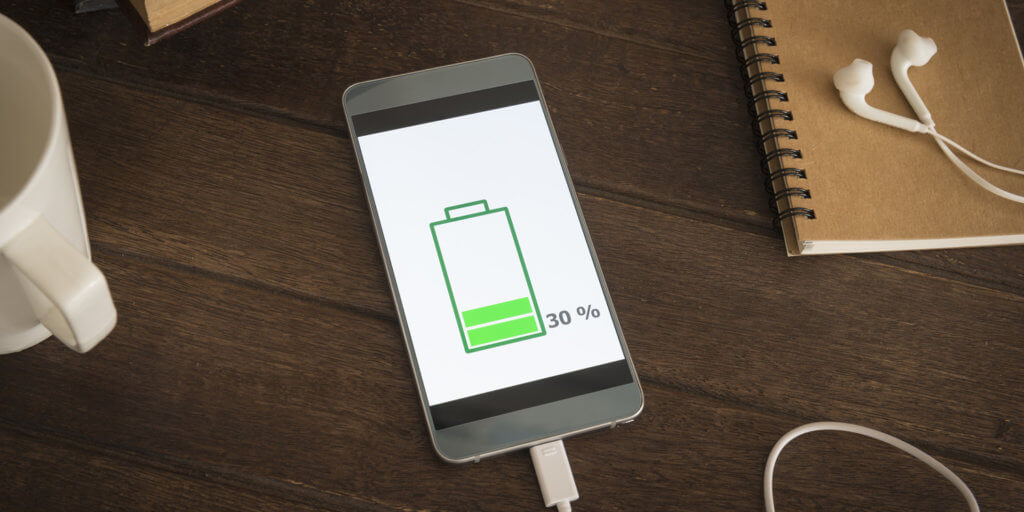
30% capacity: An optimal time to charge your mobile phone or smartphone battery.
Improve Smartphone Battery Life - Tip 2: Avoid unnecessary recharging
Permanent short charging cycles of just a few minutes put enormous strain on a battery and reduce its lifespan. This also happens, unfortunately, during longer charging periods, e.g., overnight charging. Because once 100% is reached, the charging process ends, and your smartphone switches to mains operation. However, the battery level then drops again by a few, sometimes half, percentage points, and the charging process starts again, even if only for a few seconds. This leads to numerous charging cycles that damage the battery over time. Therefore, for overnight charging, we recommend switching off your smartphone completely. Then it charges up to 100% but does not discharge afterward, and there are no unnecessary mini-discharges and mini-recharges.
Improve Smartphone Battery Life - Tip 3: Avoid fast charging if possible
Fast charging reduces the performance, lifespan, and durability of batteries significantly faster than conventional charging at 1 amp. Even slower – and thus even gentler on the battery – would be charging via your PC's USB port. If possible, charge your battery this way. However, avoid charging your battery via the fast-charge function and with a current of over 1 amp whenever possible, even if this saves some time.
Improve Smartphone Battery Life - Tip 4: Only fast charge with the manufacturer's power adapter
If you're in a hurry and want or need to use the fast-charging function, please only use the power adapter supplied by the manufacturer. Only these are perfectly matched to the device and do not overly harm the battery's performance. Under no circumstances should you consider using cheap 1-euro power adapters for charging, no matter what model it is. This will prevent your new battery from lasting very long.
Improve Smartphone Battery Life - Tip 5: Careful handling of the battery
The optimal operating temperature for smartphones is usually between 10 and 35 degrees Celsius. Direct sunlight (e.g., in a car behind the windshield) damages the battery just as much as extreme cold in winter. But wireless charging using the Qi standard is also not good for the battery's durability in the long run. Although the smartphone is supplied with power via a charging station, a lot of waste heat is generated in the process, which harms the mobile phone or smartphone battery more than charging with a cable. So, if you generally handle the battery carefully and do not expose it to temperatures below 10 or above 35 degrees, that's good for its performance and durability.
Long Smartphone Battery Life Has Many Advantages
The longer your battery lasts, the longer you can use your smartphone, mobile phone, or tablet for enjoyable things, such as watching movies during a flight or listening to music on a long train journey. To help you with audio and video files, we offer a lot of useful – and partly free – tools.
With MyFormat Converter, for example, you can rip your audio and video files and convert them to the perfect format for any smartphone (applies to all models and devices, whether Apple iPhone or Samsung, Android or iOS). You can get the free version MyFormat Converter Free anytime on our homepage.
Or use the equally free freeTunes 4. With it, you can turn YouTube music videos into MP3s or other audio files for your smartphone. And you can also easily create custom ringtones for your smartphone with freeTunes 4.


